Legacy System Modernization is More than Replacing Technology
Learn how to modernize legacy systems without carrying old workarounds, data problems, and platform constraints into a new technology stack.

A lot of conversations about legacy systems start from the same assumption: the old system was a mistake, and modernization is the fix. In our experience, that is often wrong. Those legacy systems were often the right decision at the time. What changed was the business around them.
This article draws on our modernization work, some of which is still in progress, so it is not a victory lap. It is what we have learned about the part most teams underestimate: making sure the new system does not quietly inherit the old one’s problems.
Key takeaways:
-
Legacy systems are not necessarily bad decisions. Many were the right choice when speed and time to market mattered most; modernization becomes necessary when their constraints start limiting the business.
-
Legacy system modernization is more than replacing technology. Data models, business rules, identity issues, and workarounds can survive a technical migration unless they are deliberately redesigned.
-
Map dependencies before deciding what to migrate first. Understanding which data and features depend on each other helps teams avoid starting with the highest-risk parts of the system.
-
Use early migrations as rehearsals. Lower-risk data can help teams practice dual-writing, cutover, and rollback before moving customer-linked or core records.
-
Stop creating new dependencies on the legacy system. New features should own their own data wherever possible so the migration target does not keep moving.
-
Move what unlocks capability, not everything at once. Some legacy components can remain if they still work well; the goal is to remove constraints, not eliminate legacy technology for its own sake.
-
Success is measured by regained flexibility. A successful modernization gives teams cleaner data, clearer ownership, and greater freedom to build around user and business needs.
Why Organizations Modernize Legacy Systems
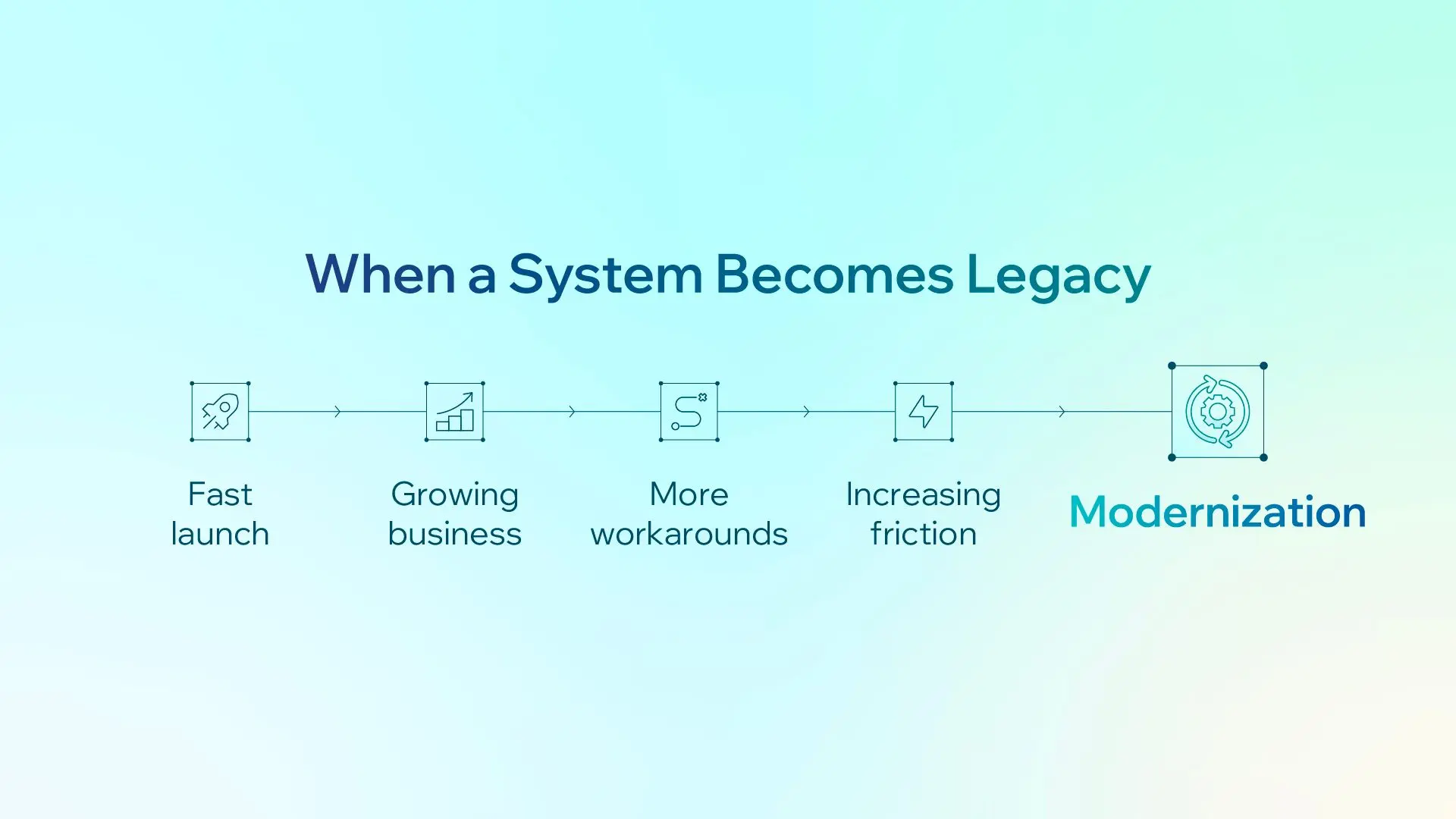
A familiar story: a team needs to launch fast and validate an idea, so instead of building a custom backend, it builds on off-the-shelf platforms, such as a SaaS product for accounts and core features and a CMS for content. The team gets a product in front of users in months rather than a year.
When time to market is the metric that matters, that trade-off makes sense.
That is the first thing worth saying about legacy systems: many of them were built by capable people making the right trade-off for their situation at the time.
The need to modernize rarely appears as one major failure. Instead, friction grows sprint by sprint:
-
New feature discussions start with “does the platform support this?” instead of “what do users need?”
-
Workarounds accumulate. Fields get used for things they were never designed to hold, and each new feature adds a few more.
-
Data the business needs to own, sometimes including customer records, lives in someone else’s system.
-
The product needs more control over scale, stability, and infrastructure than a shared platform can provide.
Organizations often stay on these systems longer than expected for understandable reasons. The system still works. Each workaround seems small in isolation. Commercial commitments may still be in place. And legacy system migration risk feels concrete, while the cost of ongoing friction is spread across every sprint and rarely appears as a single line item.
The signal we look for is simple: when a team spends more effort working around a platform than building on it, the system can no longer stay as it is.
Why Modernization Is More Than Replacing Old Technology
Replacing the technology alone usually means carrying the same problems into the new system.
When we map the current state of a legacy system, the platform’s limitations are usually the easiest part to see. The harder part is everything that has been built to work around them.
The patterns are often familiar:
-
Data modeled as something it is not. One kind of record is stored as another because that was the only type the platform allowed a feature to use.
-
Fields that do not mean what their names suggest. A notes or description field quietly holds structured data that the application then has to parse.
-
Business rules shaped by the platform, not the business. A feature can only be triggered one way because that is the only trigger the platform supports.
-
The same user under different identities. A customer has one ID in one system and another elsewhere, or appears as a new user after signing in through a different channel.
-
Data that slowly drifts out of sync because two systems each believe they own it.
These are not simply old-technology problems. They are decisions shaped by the old platform’s constraints, now embedded in the data model, application logic, and team habits.
A like-for-like migration carries those decisions onto the new stack, where they can become permanent because, a year later, nobody remembers why they exist.
Mapping also reveals that some things that look like migration targets are not. Dashboards, reports, and aggregated views may appear to belong to one system but are actually assembled from several sources. They do not need to be migrated independently. They become cleaner as the underlying data moves.
Lessons From Legacy Modernization Projects
Map Dependencies Before Choosing a Starting Point
Before sequencing anything, we build a dependency matrix: every data entity on one axis, every feature on the other, with notes showing where each workaround sits.
It is a simple exercise, but it almost always exposes a center of gravity, usually the user or customer record, that nearly every feature depends on.
Once you know where that center is, you also know what not to move first.
Without this map, the natural instinct is to start with the most painful feature. That can mean running directly into identity and authentication on day one.
Make the First Move a Rehearsal, Not the Win
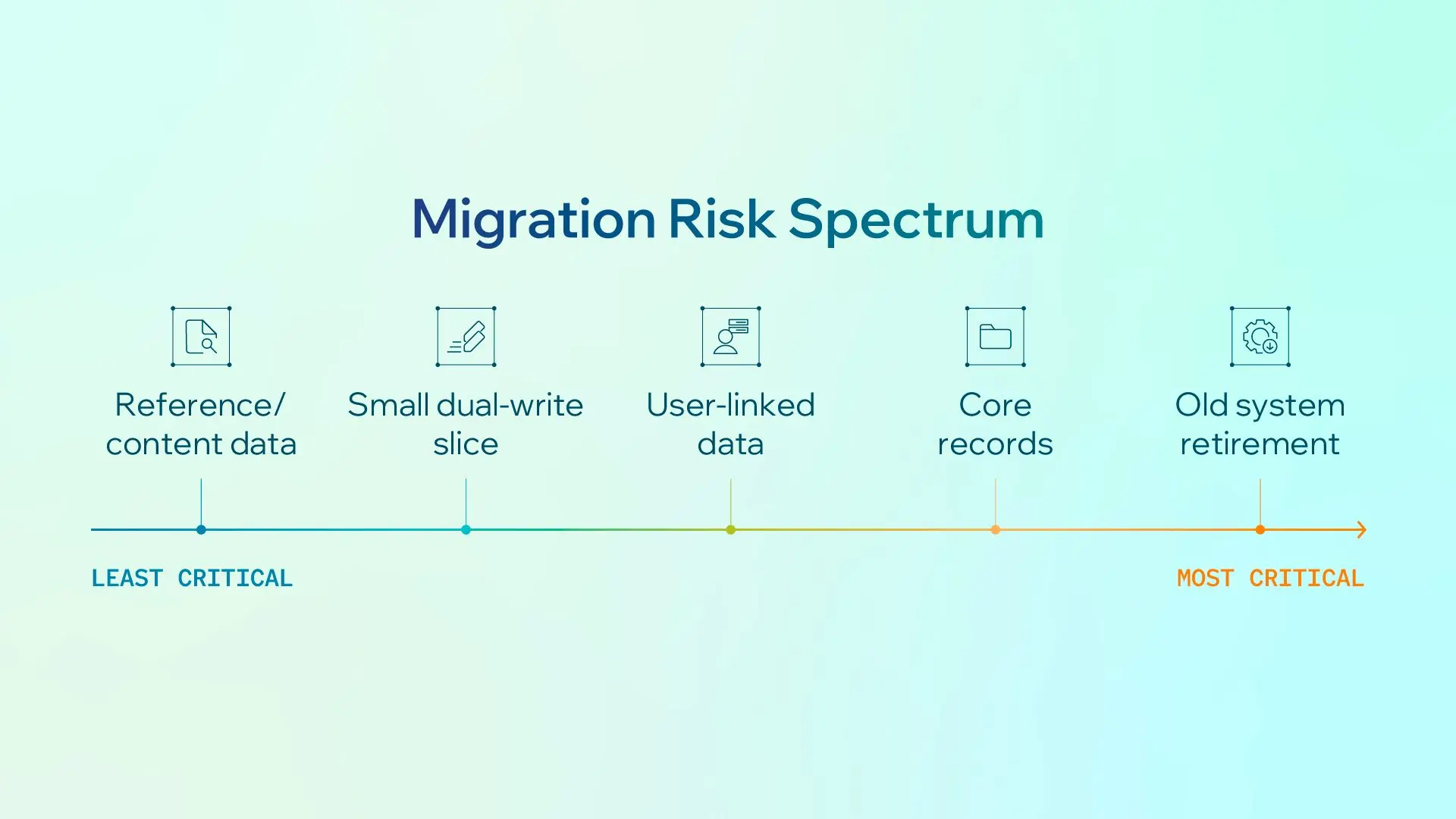
Start with data that has no link to users, such as reference or content data.
Moving it still creates real value: it removes a dependency and clears out some of the workarounds. It is also lower risk because it does not touch authentication.
More importantly, it gives the team a forgiving place to practice dual-writing, cutover, and rollback before customer data is involved.
Be explicit with both the team and stakeholders that this is the safe opening, not the finish. The difficult work, moving core records and retiring the old system as the source of truth, comes later.
It is better to set that expectation upfront than let an early win create the wrong impression of what remains.
Stop Adding to the System You Are Leaving
This is the simplest rule we use, and probably the one with the most leverage: new features own their own data.
They should touch the old system only through one narrow, well-defined path. For example, a single service that resolves who the user is.
This is a standing rule, not a project phase.
Without it, every sprint during the migration creates new dependencies on the system the team is trying to leave, pushing the finish line further away.
Treat Identity as Its Own Problem
User-linked data is the riskiest to move, so it usually moves through dual-writing: writing to both systems and converging over time, starting with one small slice.
That work should be gated on identity matching: a reliable way to determine that records across different systems belong to the same person, along with an explicit rule for records that do not match cleanly.
Unmatched records are where migrations can quietly lose data or create duplicate users. The rule needs to exist before the first record moves.
We saw a similar pattern in an AI chatbot migration we delivered for a multilateral development bank. The new platform itself was not the hardest part. Recovering undocumented knowledge from the legacy system and validating historical data before cutover required the most care — and made a zero-data-loss transition possible.
Run Old and New Side by Side on Purpose
Keeping the old system in place during the transition is often the safest choice.
Some data may live in both systems temporarily, while functionality is replaced piece by piece rather than all at once.
Parallel running allows the business to keep operating normally while each part of the new system proves itself. It also puts retirement of the old system on the business’s timeline instead of forcing everything into one high-stakes cutover date.
Deciding What to Keep and What to Change
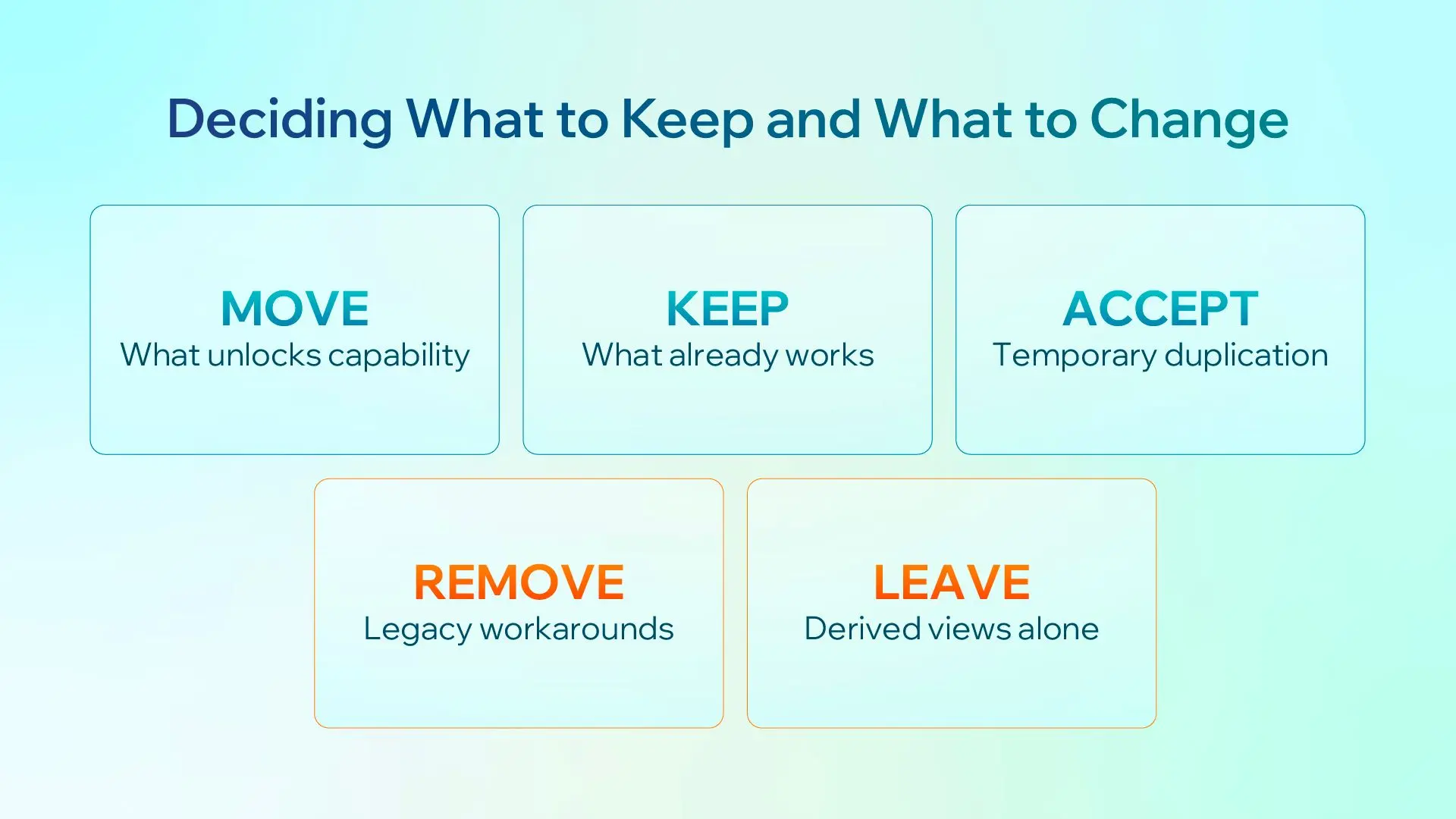
Our working rule is: move what unlocks capability, and keep what already works.
In practice, that means making five decisions:
-
Move the data the team needs to build new features on. If a feature cannot ship until the platform supports the right data or endpoint, that data is a strong candidate to move.
-
Keep, for now, the things everything else depends on, such as authentication and core records. Moving them early adds significant risk while unlocking little new capability. Move them once the patterns have been proven on safer data.
-
Accept some duplication. Some data will exist in both systems during the transition. That is a deliberate trade-off, not a flaw in the plan.
-
Remove the workarounds. When data moves, move it in the shape it should have had, not the shape the old platform forced on it. A description field quietly carrying structured data should become proper fields.
-
Leave derived views alone. Fix their inputs instead, and they improve with them.
To determine whether something is still necessary or exists only because of the old system, we ask one question:
If we were building this today, with no platform constraints, would it exist in this form?
If the honest answer is “only because the old system could not do X,” it is a candidate for redesign, not migration.
What Successful Modernization Should Look Like
Completing the migration is not the measure of success. The outcomes are.
Successful legacy system modernization should mean:
-
Product conversations start with what users need, not what the platform allows.
-
Data means what it says. Fields no longer carry hidden meanings, and new engineers do not need tribal knowledge to understand the model.
-
Each user has one identity across every system.
-
Cutover and rollback become practiced, routine operations rather than one-time events everyone is nervous about.
-
Retiring the old system becomes a business decision made on the business’s own schedule, not an emergency.
Success also does not mean eliminating every piece of legacy technology.
Some parts may remain on the old system because they still do their job well. What matters is that whatever remains is there by choice, not because the team is stuck with it.
Final Takeaway
The old system was often the right decision when speed mattered most. Modernization is not about correcting a past mistake.
It is about recognizing when the constraints of a past decision have started costing more than they save, and removing those constraints instead of rebuilding them on newer technology.
If there is one principle to keep in mind, it is this:
Don’t migrate the system. Migrate the capability you are missing, and leave the workarounds behind.
At CodeLink, we approach modernization the way we approach any high-stakes change to a system people rely on every day: map dependencies before moving anything, rehearse before cutting over, and keep the business running throughout the transition.
Lam Tran
Senior Product Owner
Lam is a Product Owner with over nine years of experience, excelling in Product Ownership and Management by skillfully defining product strategies that align with business goals. He brings adaptable expertise from diverse projects with both startups and large enterprises, ensuring competitive products and driving organizational success.